The upcoming major release of Blender – version 2.8 – has a lot of buzz surrounding it. And for good reason, too. There’s the brand new Eevee engine, showing a lot of promise. And there is a truckload of new features – new grease pencil, workspaces concept, layers and collections, and many others. On the performance side, there are also significant improvements, and a notable addition is the new hybrid render mode. This allows rendering using both the CPU(s) and the GPU(s) from the same machine, promising speed improvements in all Cycles renders.
The hybrid rendering mode is indeed an interesting feature. It has been present in V-Ray for a while with good results. So, naturally, we were excited to see it come in Blender for Cycles, too. Because it so happens that there are a large number of GPU machines in our backyard, that also have pretty powerful CPUs, we decided to put the new feature to the test.
We used the same official benchmark suite as in our previous tests. Before moving to the results, a note regarding Blender 2.8: the currently available version is not a final release. It’s still work in progress and the resulted renders have a number of issues. I’ll provide more details for each one where it is the case.
The test configurations are the ones used in our on-demand and Studio plans on our farm:
- The GPU servers: Dual NVidia K520 boards (a total of 4 GPUs per server) and dual Xeon E5-2670 CPUs
- The CPU servers: Dual Intel Xeon E5-2670 v2, 20 cores, 40 threads
The Blender versions used for the test:
- Blender 2.79 (the latest official release available at the moment)
- Blender 2.8.3 test release
All the tests were done from the command line and ran several times. The numbers represent the best time obtained for each file. Less is better.
That being said, let’s see the numbers:
1. BMW27, 960 x 540 px, 1,225 Samples (35 squared)

Benchmark 1 – BMW. Render time in h:mm:ss, lower is better
As you probably know, this scene is derived from Mike Pan’s famous ‘BMW’ one. It’s the first test in the batch, and also the simplest one. The render times show that the CPU+GPU combination is the fastest one, as expected. But they also show two more things: that Blender 2.8 is faster than 2.79, even when rendering only on CPU or only on GPU. And another interesting thing: in Blender 2.8, GPU rendering has been optimized for small tile sizes. Notice how the 32×32 render is faster than the 256×256 render, on the same GPUs.
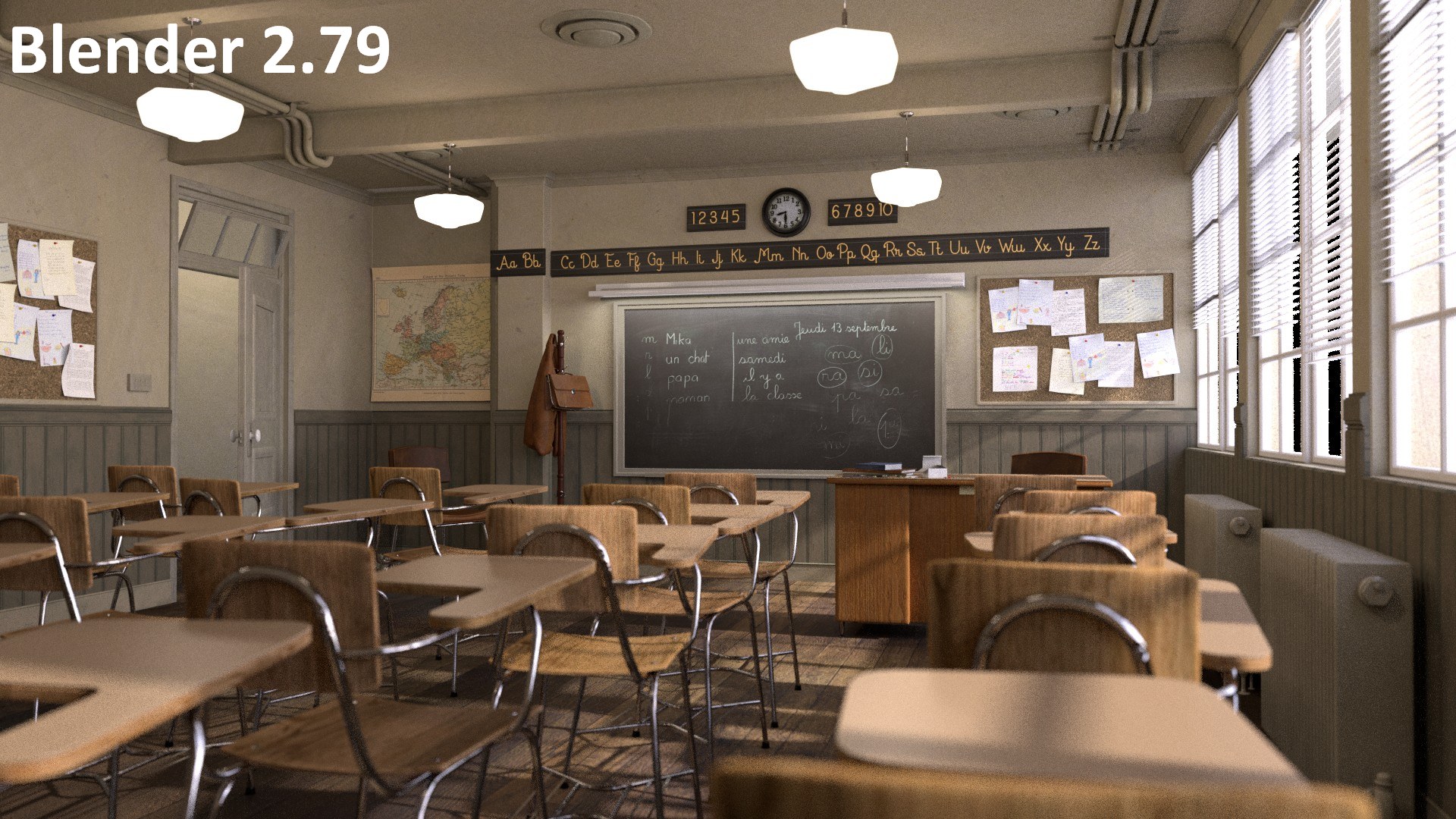
2. Classroom, 1,920 x 1,080 px, 300 Samples

Benchmark 2 – Classroom. Render time in h:mm:ss, lower is better
The second benchmark, Classroom, confirms the findings from the first one: the CPU+GPU combination is the fastest and 2.8 is natively faster than 2.79. With one big ‘but’: this is also the first indication of the alpha state of the current 2.8 release. In the 2.8 render there are missing elements from the scene so the results cannot be directly compared with the 2.79 result. Hover over the image below to see the differences:
3. Fishy Cat, 1,002 x 460 px, 1,000 Samples

Benchmark 3 – Fishy Cat. Render time in h:mm:ss, lower is better
The Fishy Cat file is the first one from the test suite that has a significant amount of hair. In the Blender versions up to now, this caused the GPUs to underperform – most likely because of a lack of optimization for that particular piece of code. In 2.8, this changes – you can see that the GPU server becomes faster than the CPU one for the first time. The CPU+GPU combination leads this benchmark as well.
This file also shows a few differences between the 2.8 and the 2.79 renders. They are not so dramatic as in the previous case, but still the images are not identical.

4. Koro, 720 x 1,280 px, 500 Samples

Benchmark 4 – Koro. Render time in h:mm:ss, lower is better
The Koro benchmark is another example of the GPU code improvements. While in our previous test the GPU renders were the slowest, now they are catching up. Surprisingly, though, the CPU+GPU render is not the fastest here. We did several tests to confirm this, and the numbers varied by quite a lot. In some of the tests the CPU+GPU time was 4m30s, while in most of them it was around 5m16s. I’m assuming this is caused by the way in which various tiles are assigned to the CPU or to the GPU during the render. In any case, the results are promising here too.
The resulted images show differences here as well between 2.79 and 2.8 – see below.

5. Pabellon Barcelona, 1,280 x 720 px, 1,000 Samples
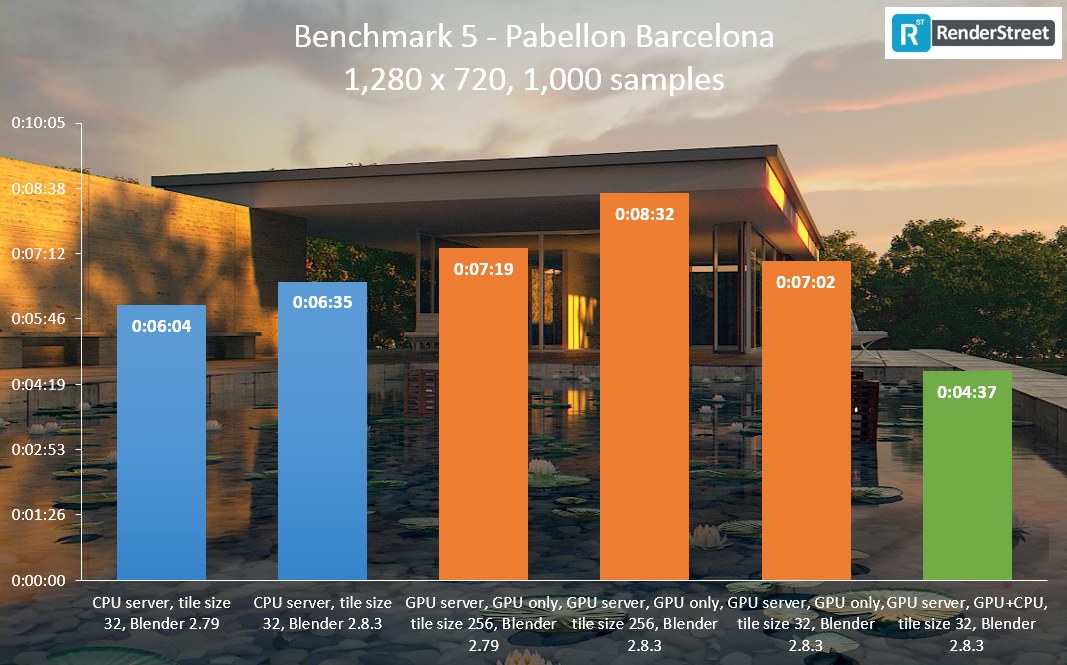
Benchmark 5 – Pabellon Barcelona. Render time in h:mm:ss, lower is better
The Pabellon scene brings a different kind of behavior – here, Blender 2.8 is slower than 2.79 in identical conditions (only CPU or only GPU). Reducing the tile size to 32×32 brings a small benefit, but the new version races ahead only in the CPU+GPU setup. Again, some differences in the scene are present, but they are minor ones this time.

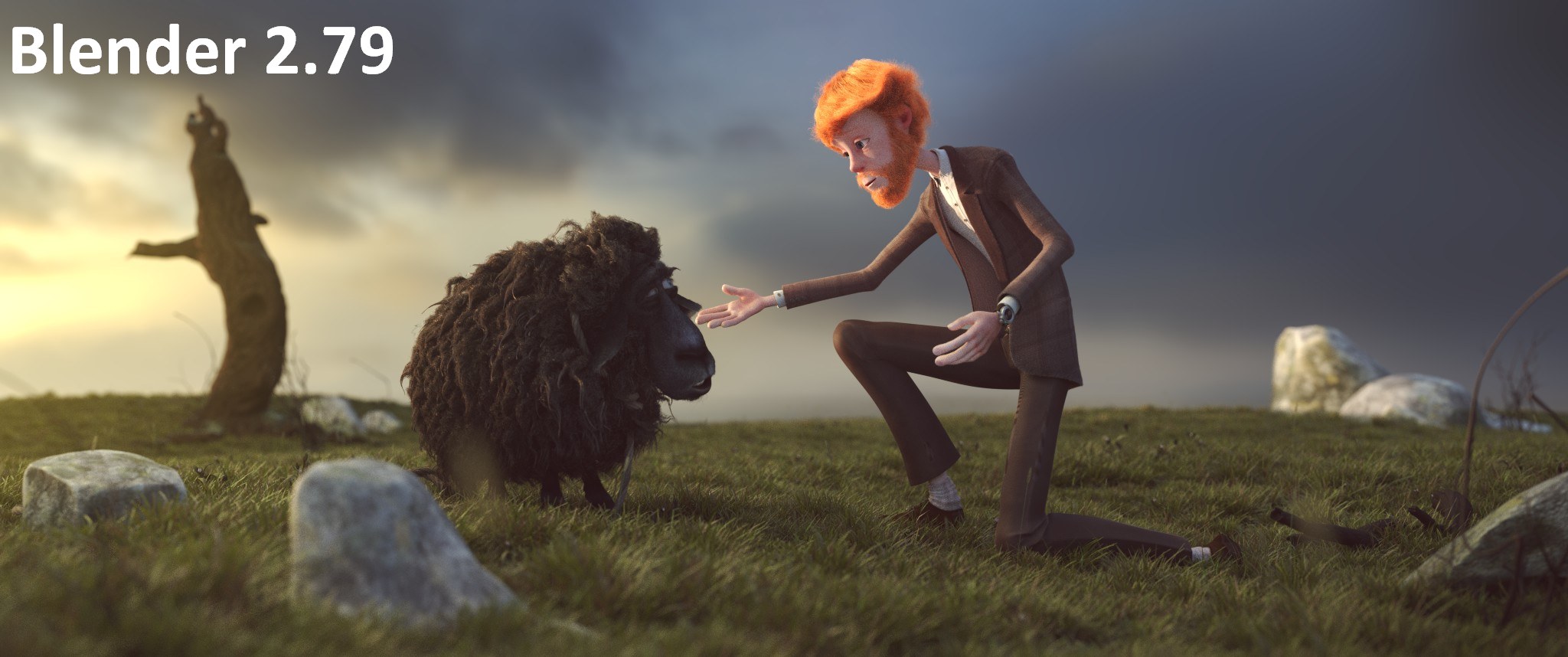
6. Victor, 2,048 x 858 px, 600 Samples

Benchmark 6 – Victor. Render time in h:mm:ss, lower is better
The Victor scene was tested only on CPU, as last time. The results here show a significant speedup in 2.8, but some of it is probably because of the missing grass – see the image below for differences. Also, a number of runs in 2.8 took double the time – approximately 14 minutes – and generated an empty image.
Closing thoughts
Even if the current 2.8 version is in alpha state, the improvements are clearly visible. The CPU+GPU hybrid rendering works well, and the results are consistent with a ‘normal’ render (either CPU-only or GPU-only). Plus, there seems to be a significant amount of work put into optimizing the entire rendering engine. I’m not sure whether this is a side effect of the Eevee implementation or a side effect of the AMD-sponsored optimization for their cards, but it’s working. Kudos to the entire dev team for it!
As a side note, when doing this battery of tests, I’ve noticed that from version to version Blender is getting faster. I’ve made this observation first about four years ago, in one of the first speed tests we’ve done. I’m really glad to see that the trend continues. And this is more impressive considering that new features are being added in each release. Trust me, I have been doing a fair share of programming myself – this is impressive 
I’m looking forward to seeing the performance figures for the first official release of Blender 2.8. Until then, if you decide to use it, keep in mind that it’s an alpha release at this time.